
Send a recipe's ingredients to Note Magic in three taps
Turn a recipe into a shopping list in a few taps. Kitchen Utensils sends the ingredients to Note Magic, our notes app, as a checklist you can tick off in the shop. Nothing is uploaded: the list goes from one app on your phone to the other.
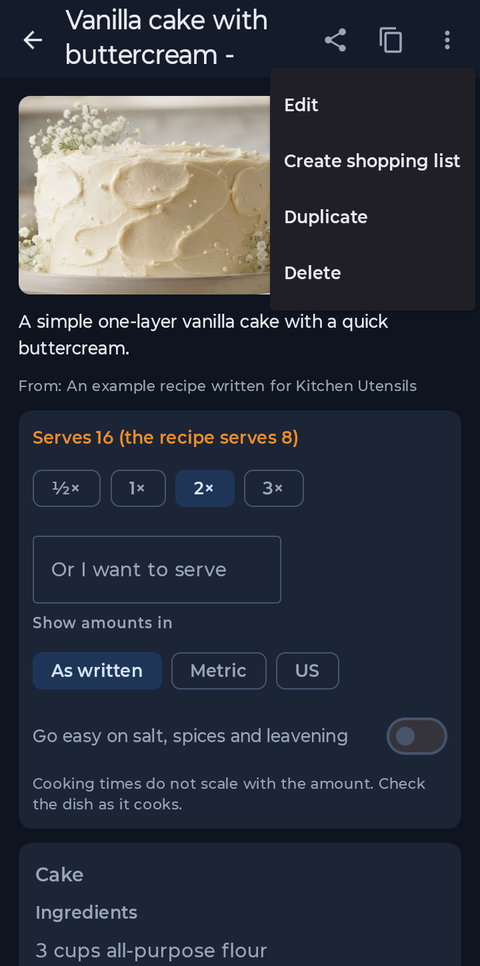
Choose how much you are making first: the list uses the amounts on screen, so a doubled recipe sends doubled amounts. Tap the three dots at the top right and choose Create shopping list.
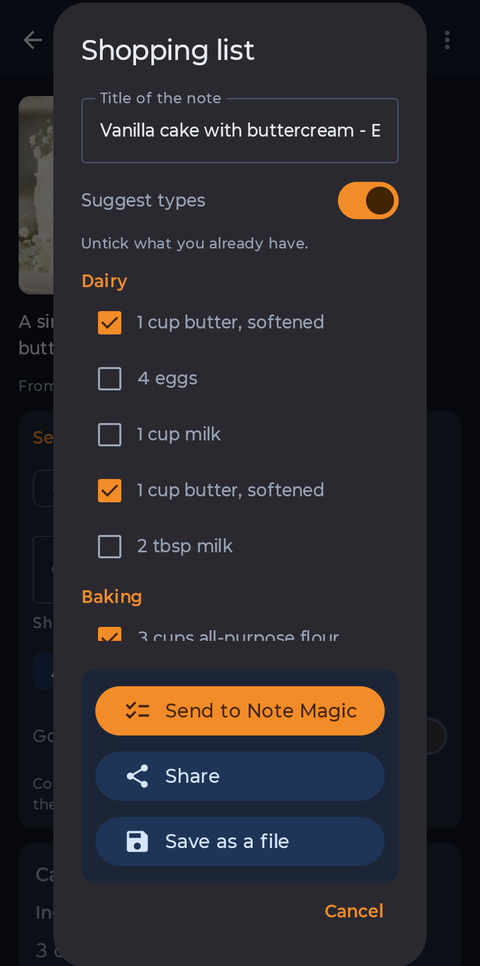
Every ingredient is grouped by where you find it in a shop. Untick what you already have, here the eggs and milk, then tap Send to Note Magic.
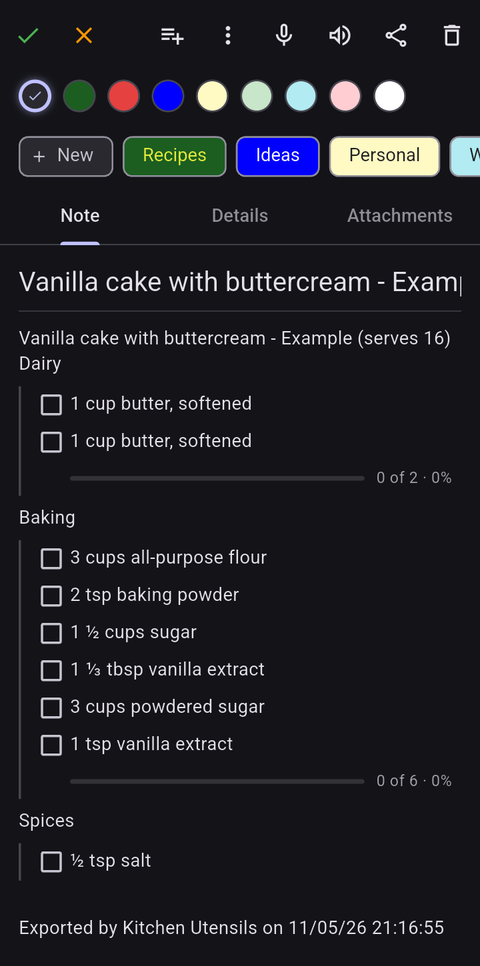
Note Magic opens straight to a new note with a box for each ingredient, grouped as you saw them. The eggs and milk you unticked are not on it. Tick items off as you go.
Kitchen Utensils suggests a type for common ingredients from their names, such as Produce for carrots and basil, Dairy for butter and milk, Baking for flour and sugar, Spices for salt and cinnamon, and Pantry for rice and oil. Anything it cannot place goes under Other. The suggestions are a guide and not always right, and you can switch them off in the Shopping list window.
To choose a type yourself, end the ingredient's line in the recipe with it in square brackets, such as 1/2 stick butter [dairy], or make up your own, such as [hardware].
A type you give always wins over the suggestion, and the brackets are not shown in the recipe, when you scale it or when you share it.
Kitchen Utensils and Note Magic are both private and work without an account. See the How-To for the rest of the app.