
A step-by-step example: bread dough
A custom timer walks through a whole recipe: a step to rise, a step to fold, a step to bake, each with its own time, note and sound. This guide builds one for bread dough, from the first tap to the alert that tells you the first step is done.
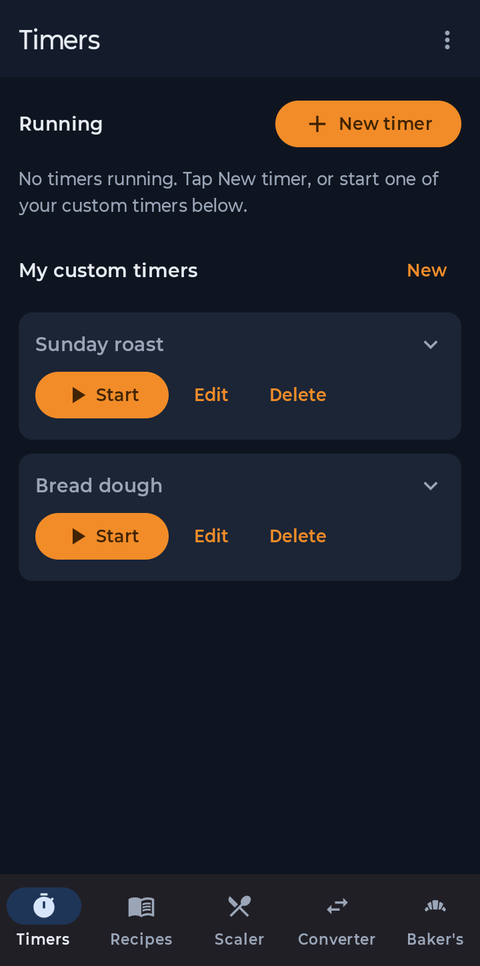
On the Timers tab, under My custom timers, tap New. Your saved timers live here, ready to start with one tap.
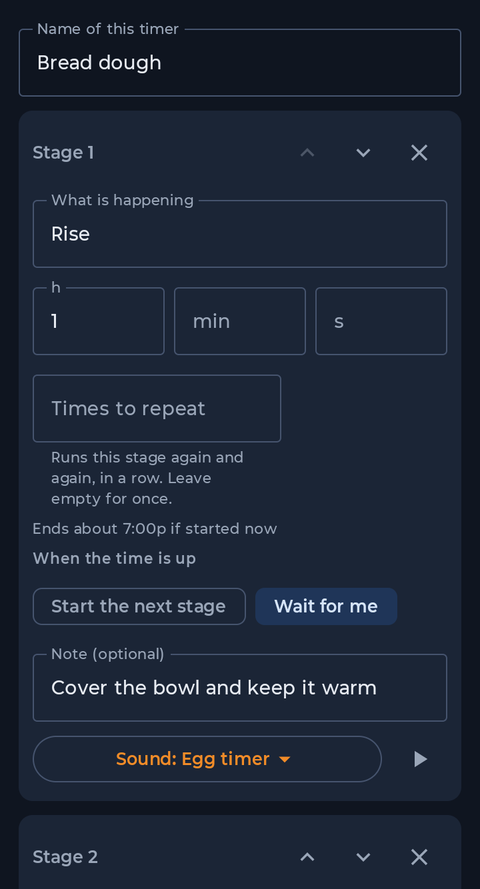
Name the timer, then describe the first step: what is happening and how long it takes, here Rise, 1 hour. Choose Wait for me if you need to do something when the time is up, or Start the next stage to roll straight on. A note appears on the timer while the step runs.
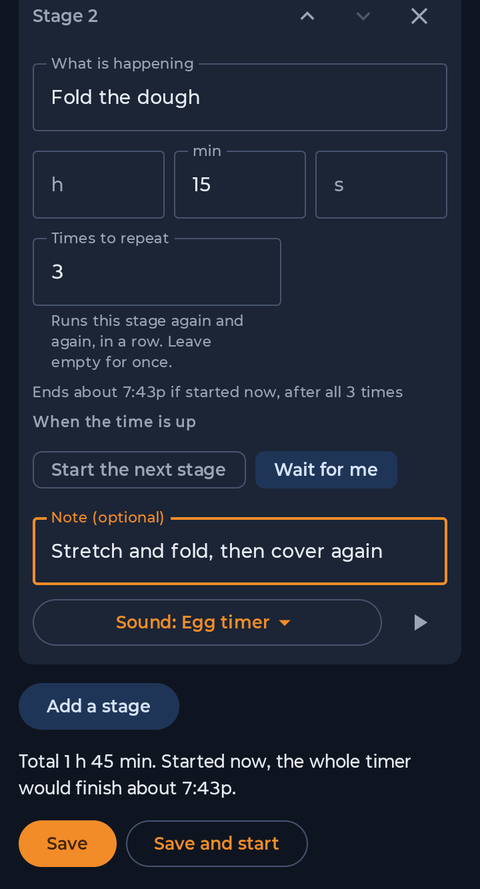
Tap Add a stage for each step. For Fold the dough we filled in Times to repeat: 3, so the app runs it three times and counts them for you (1 of 3). The editor shows the total time and when it would finish if you started now. Add Bake, 35 minutes as the last step, then tap Save.
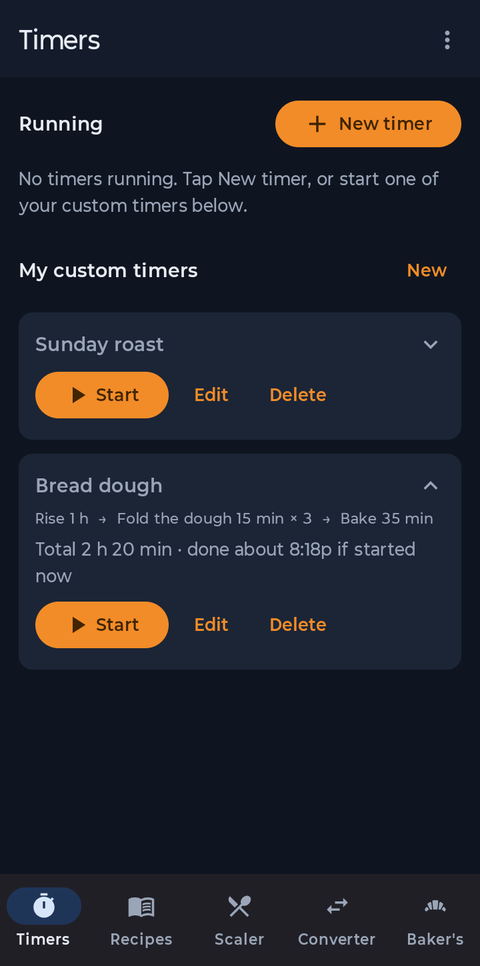
The saved timer shows its steps and the total, 2 h 20 min, with the time it would be done if you started now. Tap Start when you are ready.
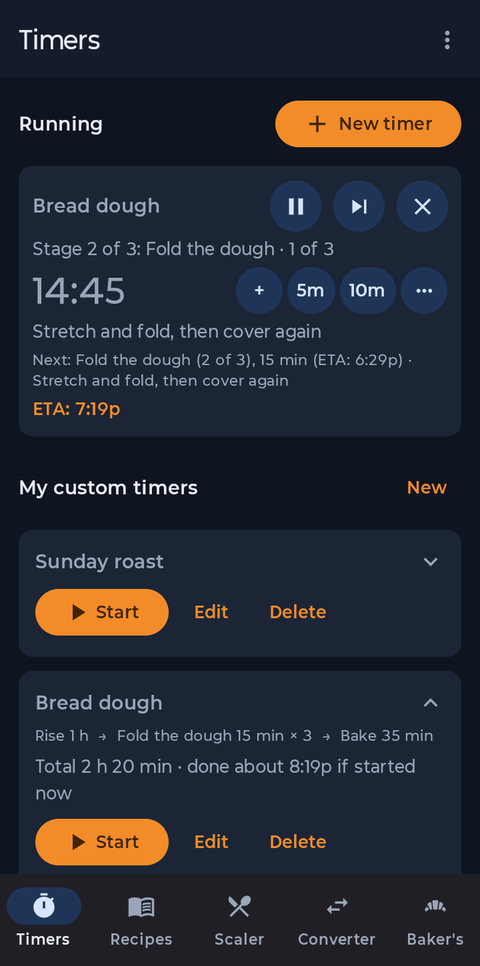
The card shows which step you are on, the time left, your note, what comes next and the time everything will be done (ETA). Use the small buttons to add or take off time without stopping the timer.
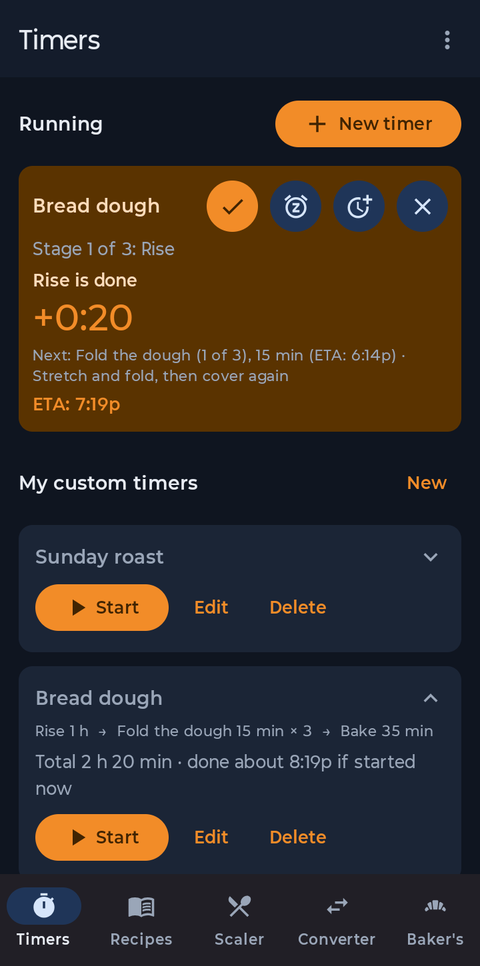
When a step ends with Wait for me, the timer rings until you answer, even with the phone locked. Tap Continue to start the next step, Snooze for a few more minutes, or Add time.
See the How-To for the rest of the app.